
Game Controller to Track Game State during Matches#
The Game Controller is used track the current state of the game during matches. The server is managed by the referees and our program is just fetching the information from the server.
This is the interface of the game controller server during match:
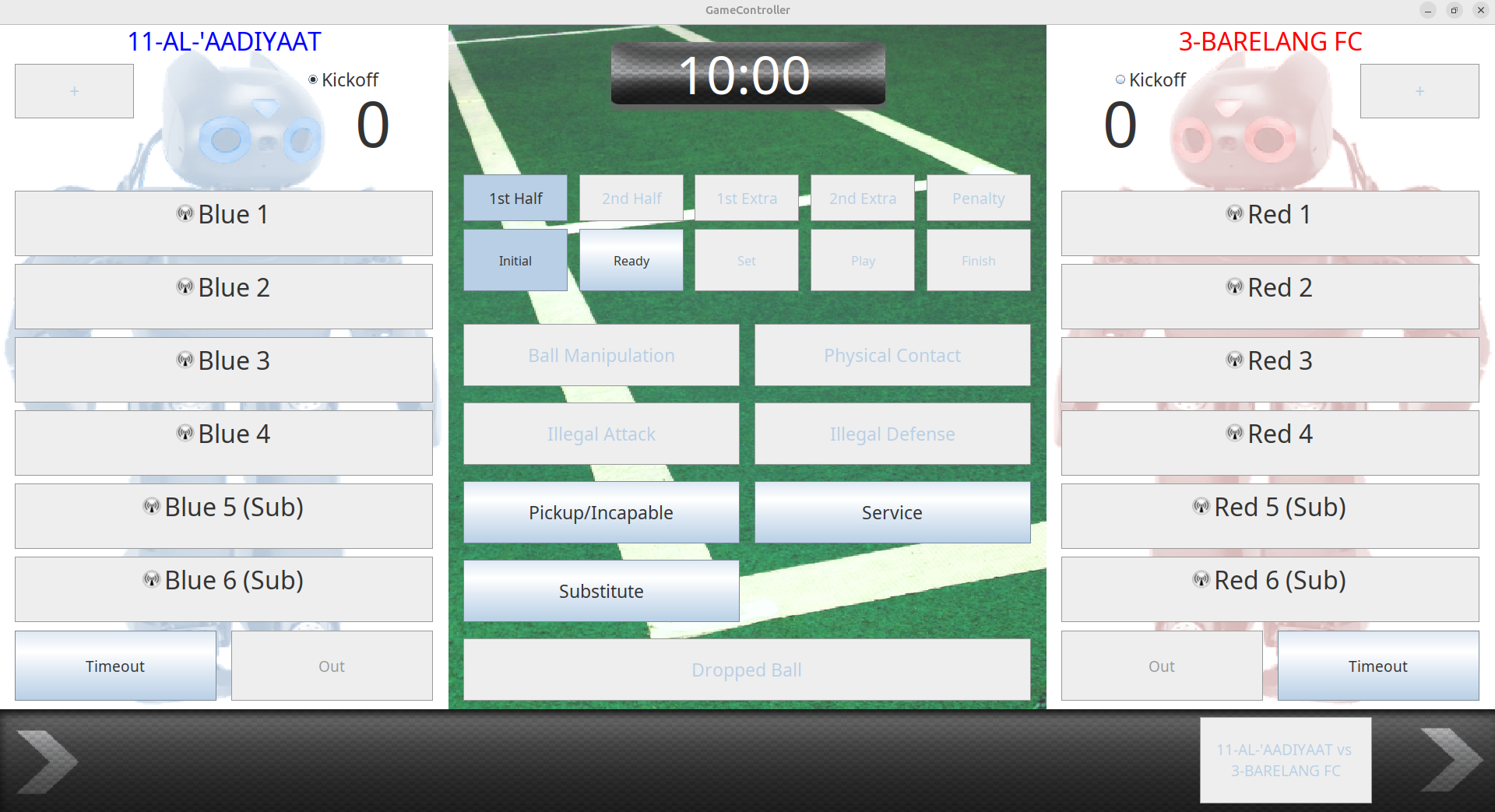
[!IMPORTANT] Our client program is a UDP socket that communicates on port 3838. We don’t need to specify a specific server IP address because the program will automatically discover for any UDP socket on the local network at port 3838 using
Boostlibrary.
The only configuration we need to change is the robot_id and player_id, both is an integer number
robot_id: Given in every match to differantiate between team, e.g. red team is 1 and blue team is 2.player_id: Our robot designated id. For example we have three robot then we can give 1, 2, 3 id number to each robot whatever we want.
This configuration is located in the game_controller.launch.xml launch file inside game_controller package in altair_misc folder.
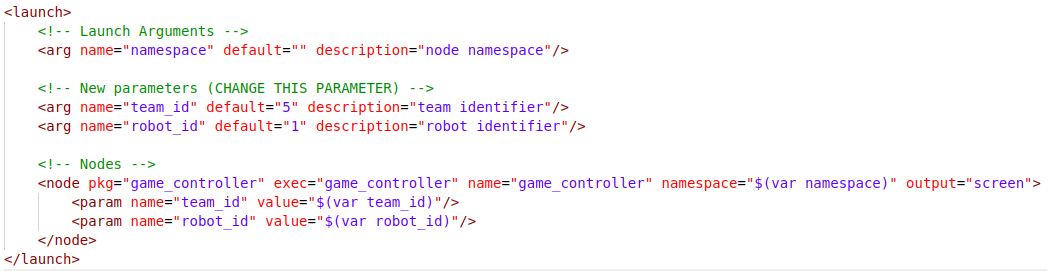
The information we get from game controller is published trought topic /altair/game_state
Run our game controller client#
After configuring robot_id and player_id, we can run game controller on each robot:
ros2 launch game_controller game_controller.launch.xml